












Downloads


Drawing Download
The right link is the EPLAN software component library, designed to assist you in efficient electrical design
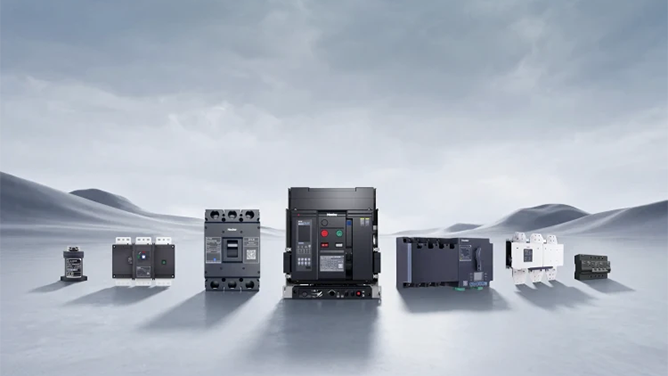
NDM3E Series Molded Case Product Component Library
How to Extract Split Archive Files
1) Place the 4 split archive files into the same folder.
2) Right-click any split archive file, and select "Extract to Current Folder" from the context menu.
3) Wait patiently for the extraction to complete.
*How to Import the Component Library into Eplan:
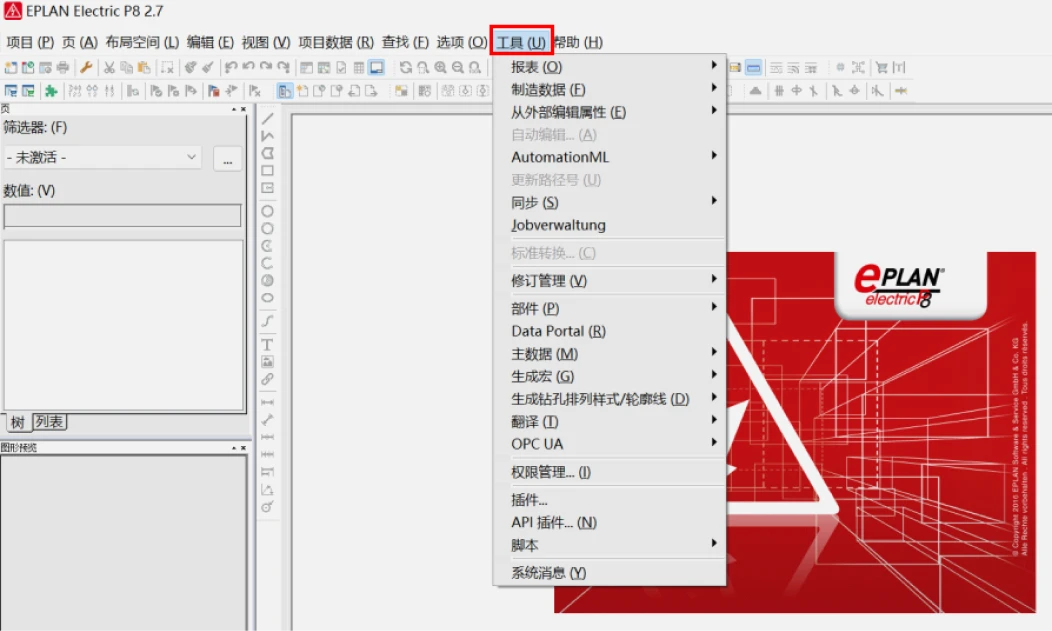
1) Open the Eplan software, click the "Tools" option in the menu bar at the top of the interface, and a dropdown menu will appear.
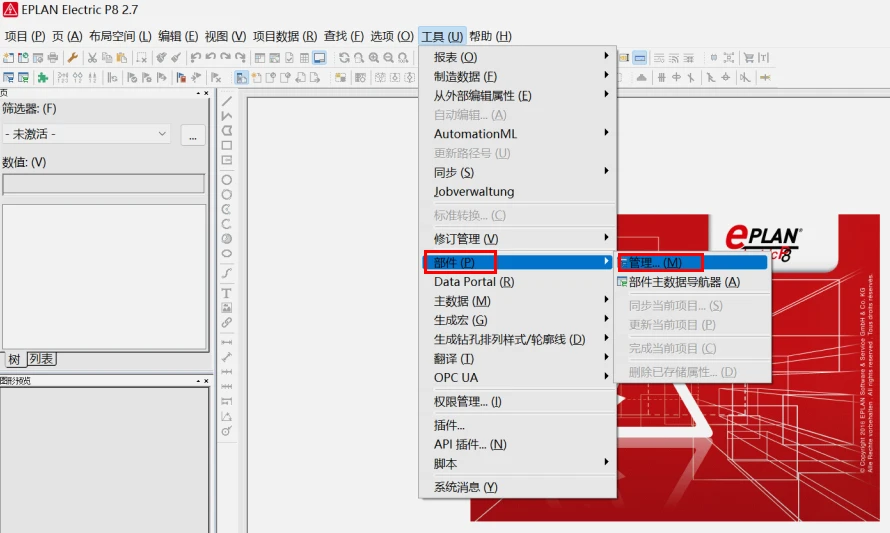
2) In the dropdown menu, click the "Parts" option, and select the "Management" option from the sub-dropdown menu.
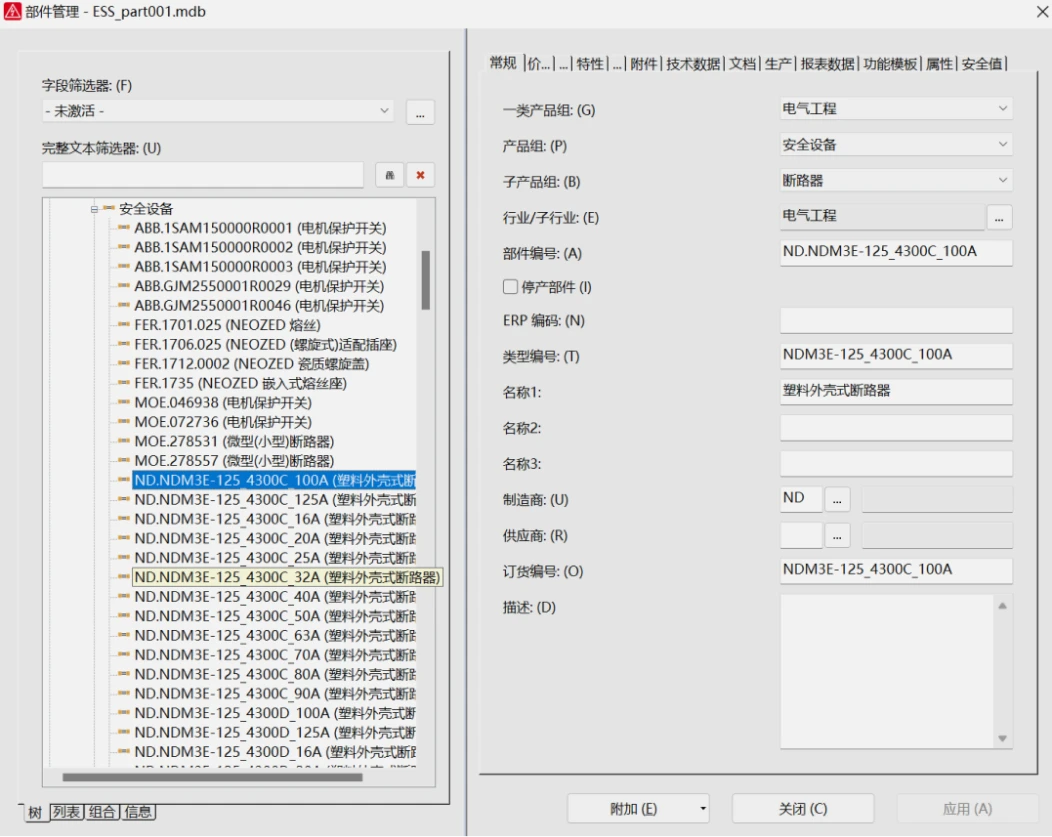
3) At the bottom of the Parts Management window that appears, click the "Additional" button, and select the "Import" option from the dropdown menu.
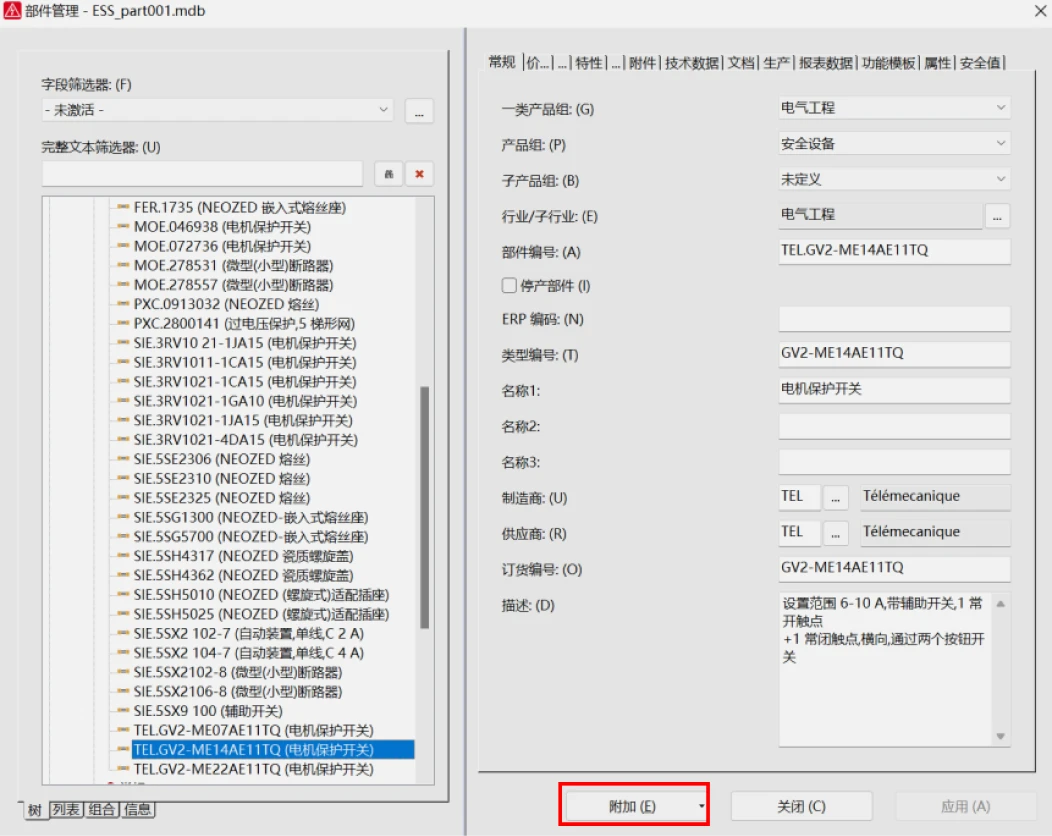
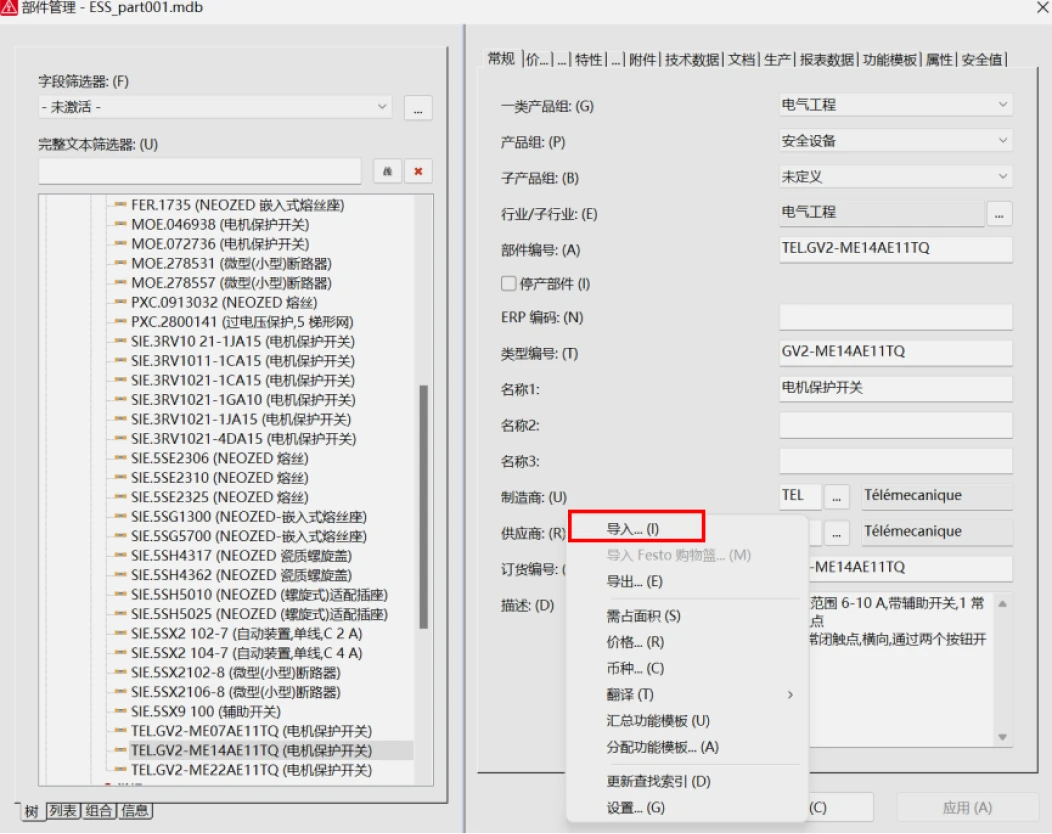
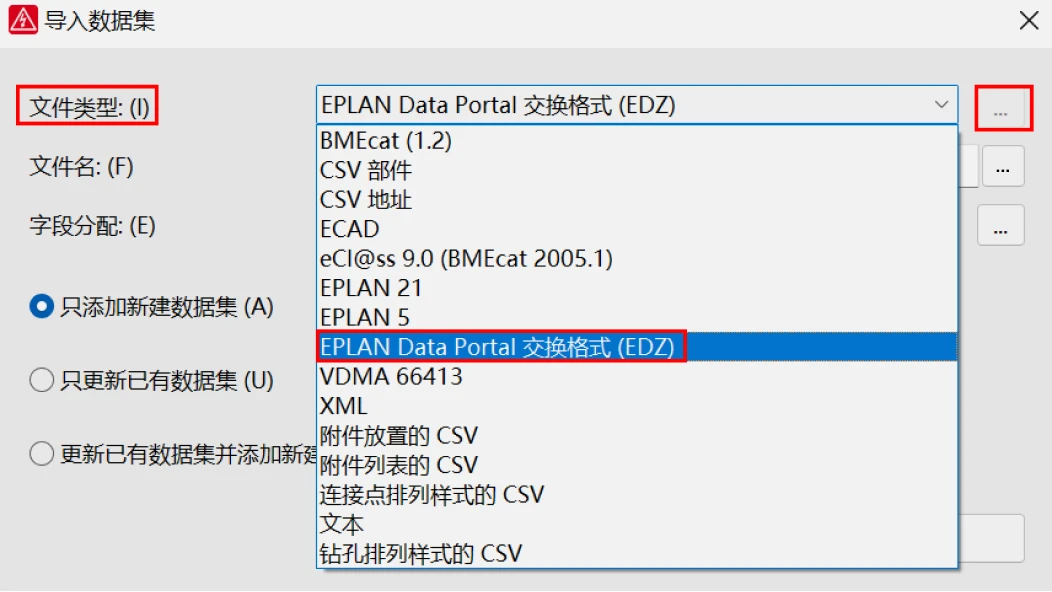
4) In the Import Data Set dialog box, click the "..." button for "File Type" and select "EDZ Format".
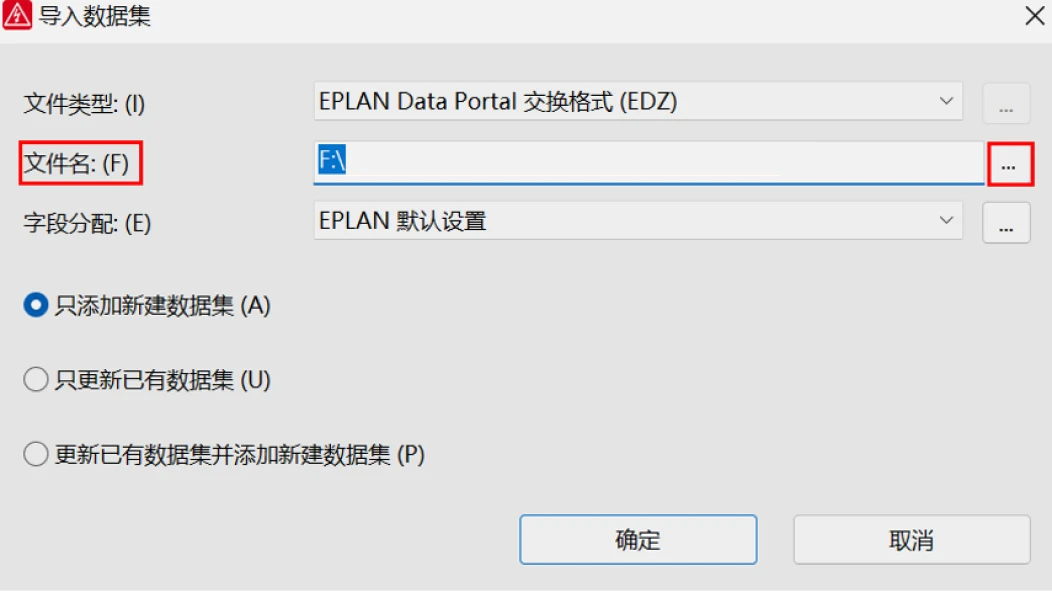
Click the "..." button for "File Name" to navigate to the file addition page, select the component to be imported, and click the "Open" button at the bottom right.
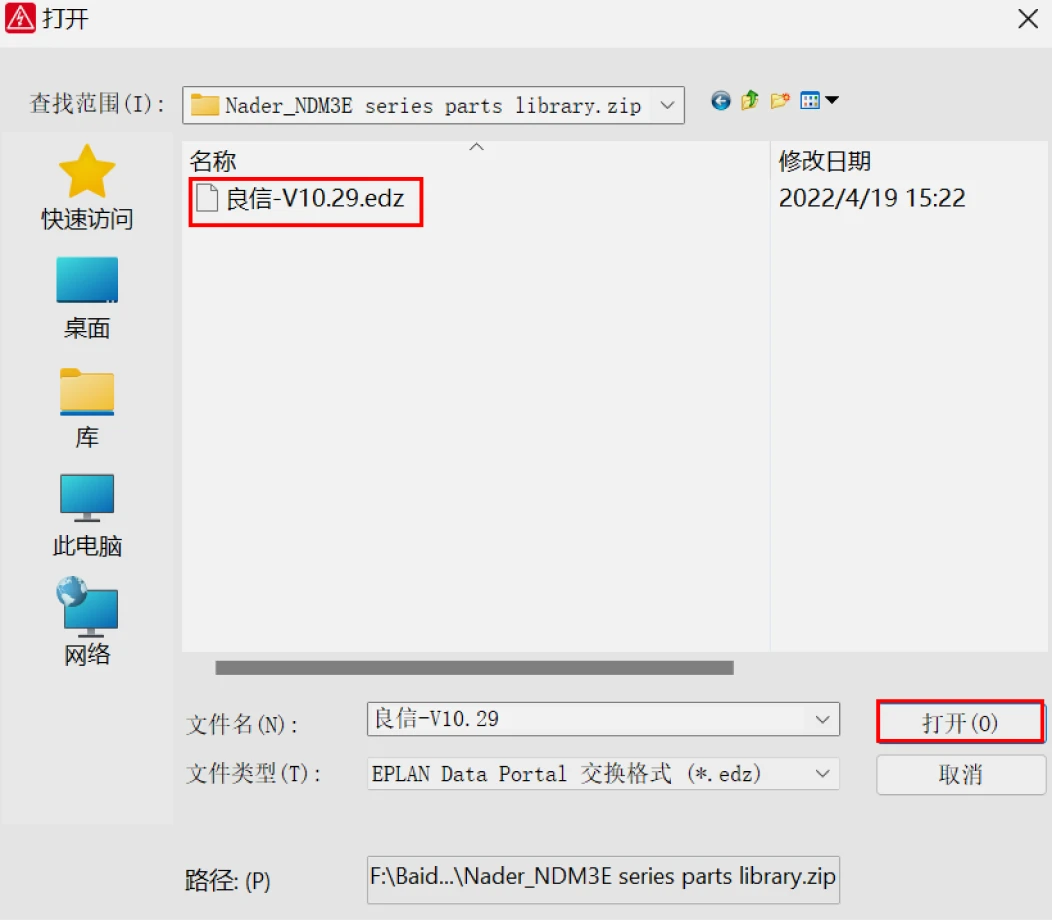
6) The component library has been imported successfully.